The Elder Scrolls V: Skyrim

I burnt myself out trying to learn to many JavaScript frameworks, build tools, unit testing, Debian eccentricities and BeagleBone Black programming so I decided to take a break and play a video game. Steam was having their summer sale and Skyrim happened to be a great deal. I bought “The Elder Scrolls V: Skyrim – Legendary Edition” and have been playing it for a couple weeks now. Back in 2011 when The Elder Scrolls V: Skyrim was released I remember reading and hearing from a lot of friends, acquaintances, and internet personalities who played it and talked about it for weeks on end. So my interest was peeked, but I didn’t have time or the desire to play it then. ...

August 19, 2014 · 5 min · 981 words · Dave Nelson
Updating the Drobo

Updating the Drobo

It is finally time to upgrade from a second generation Drobo to a Drobo 5N. I bought my first Drobo in January of 2009 and it has been in constant use for the intervening 5 and a half years. I have only had 2 issues with it, the fan died about a year ago, and it now feels really slow. When the fan died I went to my local Microcenter computer store and bought a whisper quiet 120mm fan. With a bit of Googling and some wire snipping followed by a bit of solder the Drobo has been much quieter and cooler ever since. In fact I can’t hear it over my home office noise at all. ...

July 25, 2014 · 2 min · 331 words · Dave Nelson
Learning Adobe Edge Animate CC by Tony Ross

Learning Adobe Edge Animate CC by Tony Ross

Learning Adobe Edge Animate CC training video from Infinite Skills Inc. featuring Tony Ross is a great place to start learning Adobe Edge Animate. I found Tony’s voice easy to listen to, his explanations easy to understand, and the video of the computer screen easy to read and follow. Half way through the video I built my first animation, it’s good stuff. Edge Animate has a lot of problems as an application, it is definitely going to improve as new versions are released, and this video does nothing to highlight those problems and steer you clear of them. But the video is definitely worth watching closely. You can learn about the bugs and limitations somewhere else. ...

July 1, 2014 · 1 min · 173 words · Dave Nelson
Boris, the BeagleBoard Logo Mascot

BeagleBone Black WiFi Adapter (WNA1100)

Boris, the BeagleBoard Logo MascotI initially bought an Edimax EW-7811Un Dongle for use with my BeagleBone Black (BBB), but after a lof of fiddling and frustration I gave up on it. Turns out that I may have been using the wrong setting in the interfaces file, but after some research I found many instances of people complaining about the Edimax dongles in general, so I started looking for solutions that others were having good luck with. ...

May 2, 2014 · 2 min · 273 words · Dave Nelson

Unable to Connect to BeagleBone Black via Ethernet

Unable to Connect to BeagleBone Black via Ethernet Everything works fine when the BeagleBone Black is connected to a computer via USB but when connected to the network via Ethernet it does not work. I ran into this issue when I first started using my BeagleBone Black out-of-the-box and again when I updated the OS to Debian. Here is the solution: Connect the BBB to your computer via USB and give it time to boot In a web browser open the Cloud9 IDE by going to https://192.168.7.2:3000/. You may be prompted to choose some settings, I like the defaults. Create a new file, paste in the script below, and run it var fs = require("fs"); var destroyed_key_file = "/etc/dropbear/dropbear_rsa_host_key"; fs.readFile(destroyed_key_file, function (err, data) { if (err) throw err; if( data===null || data.length===0 ) { console.log("we have a corrupted host key file... try do delete it"); fs.unlink(destroyed_key_file, function (err) { if (err) throw err; console.log("successfully deleted " + destroyed_key_file); console.log("you should now reboot your beaglebone."); console.log("the /etc/init.d/dropbear script will create a new rsa host key file for you."); console.log("after the reboot you should be able to login over ssh"); }); } else { console.log("it seems that you have another problem, sorry"); } }); Now shutdown, I like to sudo shutdown -hP now, the USR lights will all go out when it is shut down Now you can unplug the BBB from USB and plug in an Ethernet cable and power adapter. You should now be able to access the BBB from anywhere on your network using https://beaglebone.local or ssh beaglebone.log. Thanks to httpss://groups.google.com/forum/?fromgroups=#!msg/beagleboard/Ya2qE4repSY/u4lvOjF66JEJ

April 25, 2014 · 2 min · 262 words · Dave Nelson

Remote Host Identification Has Changed!

After updating the operating system to Debian and plugging in your BeagleBone Black via USB you may receive the error message: WARNING: REMOTE HOST IDENTIFICATION HAS CHANGED! This is normal as the RSA key has changed when you updated the OS. The easiest way to fix it is to run ssh-keygen -R then try connecting again. When connected via USB ssh-keygen -R 192.168.7.2 ssh [email protected] When connected via Ethernet ssh-keygen -R beaglebone.local ssh [email protected] ...

April 18, 2014 · 1 min · 111 words · Dave Nelson

Setting up Debian on a BeagleBone Black

This post is about installing Debian (BeagleBone Black – 2GB eMMC) 2014-03-27 and Flashing the eMMC using a Mac running OSX 10.9 Mavericks. I decided to get a head start on using Debian with the BBB which is soon to tbe the default OS installed on them. These are the steps I used today to get up and running: Download image from http://beagleboard.org/latest-images – BBB-eMMC-flasher-debian-7.4-2014-03-27-2gb.img.xz Use Unarchiver to extract disk image – BBB-eMMC-flasher-debian-7.4-2014-03-27-2gb.img Download PiFiller to copy the disk image to the SD card – https://ivanx.com/raspberrypi/ style=“padding:4px;background:#000;display:inline-block;margin: 4px 0;” Run PiFiller and follow the directions Choose the disk image Insert the SD card Verify that PiFiller has found the correct device Some more verifying, click OK a couple of times Now wait awhile, it took about 20 minutes on my MacBook Pro Holy Cow! The dialog box opening and closing gets really annoying to watch! All set when you get the “Your SD card is ready” message Eject the SD from the Mac OS then remove it from the computer With the BBB unplugged, no network, USB, video, power cables, insert the SD card into the BBB style=“padding:4px;background:#000;display:inline-block;margin: 4px 0;” Get ready: When plugging in the BBB you will need to hold down the Boot button until all 4 USR lights turn on – While holding down the Boot button insert a 5V 2A power supply, release the Boot button when all 4 USR lights turn on Now the USR buttons should start blinking in a seemingly random pattern, this should go on for 20 to 60 minutes depending on the OS and SD card When the USR lights all light-up again the eMMC has been flashed with Debian Remove the power adapter Remove the SD card ...

April 11, 2014 · 2 min · 315 words · Dave Nelson
BeagleBone Black Microcontroller

BeagleBone Black Microcontroller

I recently bought a BeagleBone Black (BBB) and am having a great time with it. From the website beaglebord.org: BeagleBone Black is a $45 MSRP community-supported development platform for developers and hobbyists. Boot Linux in under 10 seconds and get started on development in less than 5 minutes with just a single USB cable. What I Bought I bought my BBB from Makershed as a part of a kit which included the book Getting Started with BeagleBone by Matt Richardson and a handful of electronic components. The kit is not bad, but I feel like it is overpriced, especially for someone who has a lot of components already. ...

April 4, 2014 · 3 min · 561 words · Dave Nelson
Getting Started with BeagleBone by Matt Richardson

Getting Started with BeagleBone by Matt Richardson

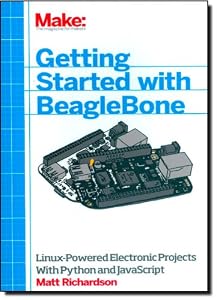
After seeing a really cool telepresence robot using a BeagleBone at an Atlanta JavaScript Meetup I just had to get one. I ended up buying a Beagle Bone Black (BBB) from MakerShed in a kit that included some components and a paperback of Getting Started with BeagleBone. While waiting for the BBB to arrive I started reading the book on Safari Books Online and ended up never reading more than a couple of pages from the printed book. I was more comfortable reading the book on an iPad using the Safari Books Online app. ...

April 1, 2014 · 2 min · 339 words · Dave Nelson
Metro: Last Light by 4A Games

Metro: Last Light by 4A Games

I played the first Metro game, Metro 2033, and thought it was pretty good so when I saw Metro: Last light on sale at Steam I decided to give it a try. The Metro games are based on books written by Dmitry Glukhovsky; which I have not read. After playing both of these video games I will probably not read them… It is not my kind of story. I am not really a big fan of the Horror-Survival genre but somehow I have found myself playing a few of them. ...

February 14, 2014 · 2 min · 375 words · Dave Nelson